NFSC - Pursuit Challenges in Career
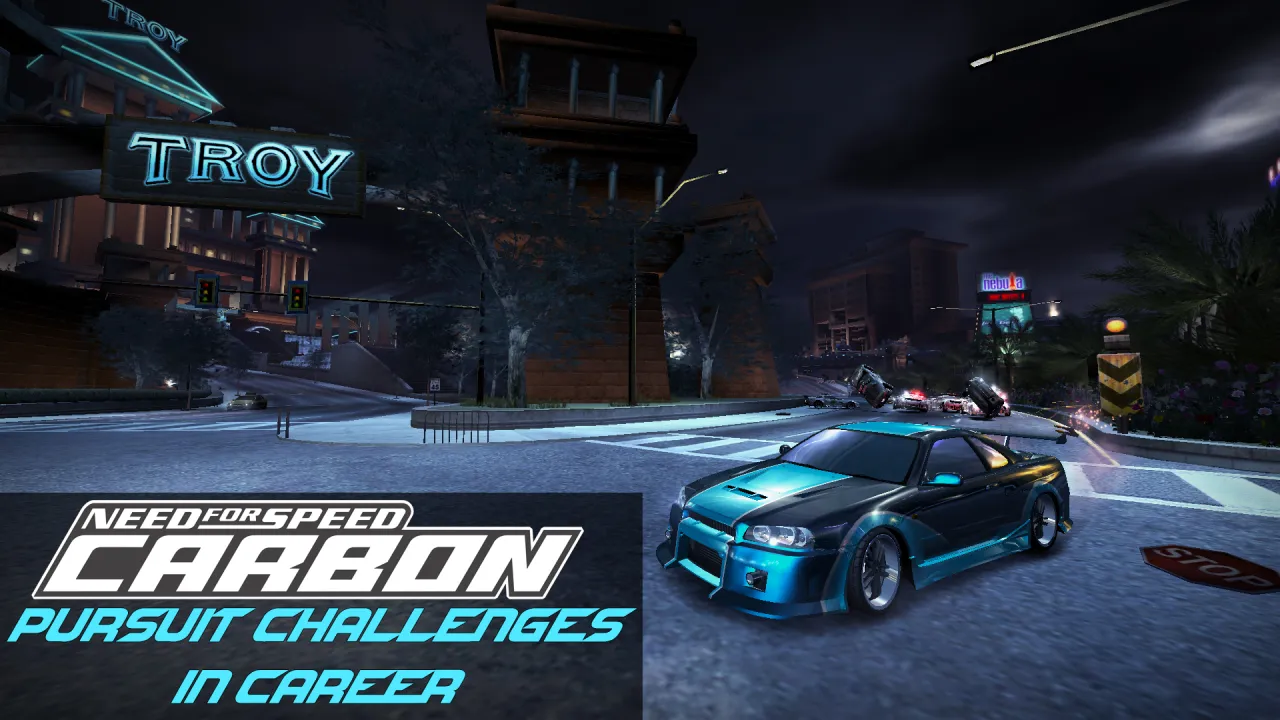
By El Nico.
Latest Update:
v1.4.1 - Photo Ticket speed record fix.
(dd/mm/yyyy)
(21/08/2026)
Pursuit Events:
- Moved some engage triggers so they're closer to the actual starting position.
- Addressed an extremely rare issue where the entry text for pursuit evasion and pursuit length milestones would get stuck on the screen.
Photo Ticket Events:
- Completing a photo ticket event no longer sets the 'Track Record' to zero.
- Completing a photo ticket event now saves your speed trap record.
In order for things to work as intended, you will need to update the following bytecodes:
- wantedevent/stategraph_basicrace_racing_handler_stateenter
- wantedevent_phototicket/stategraph_basicrace_prerace_handler_stateenter
- wantedevent_phototicket/stategraph_basicrace_racing_handler_stateenter
- wantedevent_phototicket/stategraph_basicrace_racing_handler_triggerenter
_____________________________________________________________________________________
Cops are now required to progress through the career,
rather than being mostly an annoyance.
There are 10-14 pursuit events that are shared between Vanilla, Improvement Mod v2 and Ultimate Mod.
You are required to complete 10 of them (14 if you've installed them) in order to challenge Darius in the Canyon.
They're generally based on the mid-late game milestone challenges from MW.
These are:
Darius (Stacked Deck): (All 10-14 Pursuit Events Required, 3/4 Photo Tickets Required)
- Infinity Park Infractions (Commit 6 Infractions)
- Infinity Park Wreck (Get 300K Cost To State)
- Shady Pine 10-73 (Avoid 8 Roadblocks)
- Shady Pine Derby (Tag 36 Cop Cars)
- Route 55 Escape (Escape within 2:00.00 minutes)
- Brimstone Wreck (Destroy 45 Cop Cars)
- Refinery Big Game Hunt (Destroy 3 non-supercharged Heavy Rhinos)
- Refinery Spikes (Avoid 11 Spike Strips)
- Refinery Endurance (Evade Cops After 13:00.00 minutes)
- Refinery Bounty (Get 1,750,000 Bounty)
- Diggy's Donuts Hit and Run (Hit 15 Traffic Cars)
- Blackwell Back to Back Escape (Evade 2 Pursuits in a row)
- Neon Mile Chasedown (Get 8 Cops Actively Involved)
- Diamond Hills A.P.B (Get 55 Total Cops Involved)
- Highway 142 Photo Ticket: 350 km/h.
- San Juan Photo Ticket: 250 km/h.
- Lofty Heights Photo Ticket: 240 km/h.
- Palmont Speedway Photo Ticket: 180 km/h.
If you choose to install them, there are also 4 pursuit events and 2 photo tickets for Kenji, Angie and Wolf.
For each boss, you only need to complete 4/6 of the events.
As an example, you can complete 2 photo tickets and 2 pursuit events.
These are:
Kenji (Bushido): (4/6 events required)
- Chinatown Chasedown (Get 4 Cops Actively Involved)
- Billings District Blitz (Destroy 6 Cop Cars)
- Mason District Disappearance (Escape within 3:00.00 minutes)
- Kings Park Insurance Premiums (Hit 9 Traffic Cars)
- Old Quarter Photo Ticket: 140 km/h.
- Mason Street Bridge Photo Ticket: 249 km/h.
Angie (21st Street): (4/6 events required)
- Beachfront Bounty (Get 5,000 Bounty)
- Eskuri Plaza Evasion (Escape within 3:00.00 minutes)
- Newport Trainyard Trade Paint (Tag 7 Cop Cars)
- Kempton Holdings Hijinks (Get 16,000 Cost to State)
- Steyne Aqueduct Photo Ticket: 264 km/h.
- Copper Ridge Photo Ticket: 220 km/h.
Wolf (TFK): (4/6 events required)
- Gelateria Getaway (Evade after 3:40.00 minutes)
- San Juan Wreck (Destroy 4 Cop Cars in San Juan)
- University Campus Containment (Avoid 2 Roadblocks)
- Hills Borough Infractions (Get 4 Infractions)
- Fortuna Heights Photo Ticket: 222 km/h.
- Gold Valley Run Photo Ticket: 216 km/h.
_____________________________________________________________________________________
List of compatible larger mods:
- Improvement Mod v2.
- Ultimate Mod.
- Remastered UI (non-W2C)
Optional:
- W2C by Max Hwoy + Others
https://nfsmods.xyz/mod/3041
MW's map was designed with pursuits in mind, whereas Carbon's wasn't.
Pursuits themselves aren't really any more difficult on Carbon's map,
but they can be painfully annoying to escape at times.
If you're installing on a vanilla copy of the game, install W2C using VltEd first, then switch over to OGVI[Attribulator].
Note:
W2C in its current form does cause some level of instability.
For example:
The 14 pursuit events + 4 photo tickets option works mostly fine for ImpMod without W2C.
With W2C, the game crashes upon trying to enter the world (Yes I made sure hyperlinked.asi was in the scripts folder).
Improvement Mod v2 has an OGVI compatibility patch for W2C.
If you want to use this mod along with Ultimate Mod + W2C, then:
1. Install W2C on a clean copy of Carbon using VltEd.
2. Install Ultimate Mod using Binary or Binarius.
3. Install Pursuit Challenges.
4. Optional: Install any other mods you want, or just leave it at that.
For those who want a challenge:
You don't have to install any of these, but if you find the vanilla cops to be too much of a snooze fest,
then one of these might be for you.
If you are going to install a pursuit mod, only install one of them,
unless the mod says it is compatible with other pursuit mods.
- Relentless Cops (Carbon) by JackJohnson
https://nfsmods.xyz/mod/2013
- Revamped Pursuits (Carbon) by Splash45
https://nfsmods.xyz/mod/1781
- Carbon: Maximum Lethality Mod by XeroAbsolute
https://nfsmods.xyz/mod/7359
_____________________________________________________________________________________
Install Instructions:
You will need:
- Binary or Binarius
- Attribulator + OGVI
Part 1: [Binary/Binarius]
1. Open Binary or Binarius and click User Mode.
2. Select "Binary Install.end"
3. Navigate to and select your desired NFSC installation folder.
4. Click "OK"
5. Select what you want the events to be called:
- Pursuit Challenge
- Wanted Event (Undercover PS2/Wii)
- Milestone Event (MW 2005)
6. Select number of events and style of event names:
- 10-14 Pursuit Events (Vanilla Style Event Names)
- 10-14 Pursuit Events (MW Generic Event Names)
- 26 Pursuit Events (Vanilla Style Event Names)
- 26 Pursuit Events (MW Generic Event Names)
7. Select Map Type:
- If you're using the Vanilla NFSC Map, select "Vanilla NFSC Map"
- If you're using W2C, select "W2C"
- If you're using Remastered UI (Non-W2C), select "Remastered UI (Non-W2C)"
- If you don't want to replace the emitter texture page, select "Don't replace emitter textures"
8. A prompt should appear "Script Binary Install.end has been successfully applied" Click Ok.
9. A prompt should appear "Would you like to save files?" Click Yes.
10. A prompt should appear "Do you wish to run the game?" Click No.
Part 2a: [Attribulator + OGVI]
1. Open up OGVI
2. Go File -> Import ModScript and select "OGVI Install.nfsms"
3. Select one of the following installation options:
- Vanilla [14 Pursuit Events, 4 Photo Tickets]
- Vanilla [26 Pursuit Events, 10 Photo Tickets]
- Improvement Mod v2 [10 Pursuit Events]
- Improvement Mod v2 [14 Pursuit Events] (Stability not guaranteed with W2C)
- Improvement Mod v2 [14 Pursuit Events, 4 Photo Tickets] (Do not use with W2C)
- Ultimate Mod [10 Pursuit Events]
- Ultimate Mod [14 Pursuit Events]
- Ultimate Mod [14 Pursuit Events, 4 Photo Tickets] (Stability not guaranteed with W2C)
- Ultimate Mod [26 Pursuit Events, 10 Photo Tickets] (Do not use with W2C)
4. Select any optional scripts you want, or leave the boxes unchecked.
* If you find the CTS tracker annoying, select the "Disable the Cost to State milestone tracker" checkbox.
5. Click Import.
6. Save changes.
Part 2b: Adding the bytecodes [Attribulator + OGVI]
In order for things to function at all, let alone as intended,
you will need to manually add the blobs to their corresponding messagehandler nodes.
These are Lua scripts compiled into bytecode that the game can read.
As far as I'm aware, there is no 'import_bytecode' or 'import_blob' commands for VltEd or Attribulator,
so once again, you will need to do this manually.
1. Within OGVI, go into gameplay > baseelement > messagehandler and double click on the following nodes:
wantedevent/stategraph_basicrace_initial_handler_stateenter
wantedevent/stategraph_basicrace_prerace_handler_stateenter
wantedevent/stategraph_basicrace_raceover_handler_stateenter
wantedevent/stategraph_basicrace_racing_handler_niscomplete
wantedevent/stategraph_basicrace_racing_handler_notifymilestoneprogress
wantedevent/stategraph_basicrace_racing_handler_notifyracetime
wantedevent/stategraph_basicrace_racing_handler_notifyracetime_2
wantedevent/stategraph_basicrace_racing_handler_notifyracetimesectick
wantedevent/stategraph_basicrace_racing_handler_notifytimer
wantedevent/stategraph_basicrace_racing_handler_perpbusted
wantedevent/stategraph_basicrace_racing_handler_perpescaped
wantedevent/stategraph_basicrace_racing_handler_stateenter
wantedevent/stategraph_basicrace_racing_handler_triggerenter
2. within each node, go to where it says bytecode and press "Import binary file" (The grey arrow pointing down, near the top right corner)
3. Go into the BLOBS -> wantedevent folder and select the blob that matches the node name.
4. Either double click, or press "Open" on the blob that matches the node name.
5. Make sure you've done this step for all 13 nodes, and MAKE SURE the names of the blobs match the names of the messagehandler nodes.
6. Save changes and exit.
7. Enjoy :)
If You've installed an option with photo ticket events,
you will need repeat the process for the following 6 nodes:
These are located in the BLOBS -> wantedevent_phototicket folder,
with one being located in the wantedevent_phototicket_canyon sub folder.
wantedevent_phototicket/stategraph_basicrace_abandoned_handler_stateenter
wantedevent_phototicket/stategraph_basicrace_initial_handler_stateenter
wantedevent_phototicket/stategraph_basicrace_prerace_handler_stateenter
wantedevent_phototicket/stategraph_basicrace_racing_handler_notifytimer
wantedevent_phototicket/stategraph_basicrace_racing_handler_stateenter
wantedevent_phototicket/stategraph_basicrace_racing_handler_triggerenter
If You've enabled the Challenge Series intro camera and rolling start,
you will need repeat the process for the following 4 nodes:
These are located in the BLOBS -> challengecamera folder.
wantedevent/stategraph_basicrace_countdown_handler_icecamerafinished
wantedevent/stategraph_basicrace_prerace_handler_icecamerafinished
wantedevent/stategraph_basicrace_prerace_handler_stateexit
wantedevent/stategraph_basicrace_racing_handler_icecamerafinished
_____________________________________________________________________________________
Redistribution Policy:
You are NOT allowed to redistribute or re-upload this mod as-is.
If you want to use it in a mod pack or something, that's fine, just make sure to credit me,
and follow the conditions listed below.
If you're using/including mods made by other people, make sure to ask them for permission.
Conditions for mod-pack or larger style mod redistribution:
- Credit is given to me.
- You have permission to use all the other mods featured in the mod-pack or larger mod.
Additional Permissions Granted to:
- Translate all the strings for your language of choice.
If you want to keep it to yourself for personal use, that's totally fine.
If you want to send it through so it can be included as apart of the mod, that's also fine.
Note:
While there shouldn't be any issues with Binary strings, display text within Lua scripts can sometimes have issues.
You can translate them if you want, but some issues may occur when trying to display non-English characters,
particularly characters with accents.
_____________________________________________________________________________________
Special thanks to:
- All of the people in the NFS Mods Discord server who helped me out along the way.
- All of the people who provided kind and respectful feedback.
- rng_guy, for providing tonnes of data about milestones and pursuit mechanics.
- BadassBaboon, for allowing me to use and modify the emitter texture sheet from NFSC Remastered UI, and also other textures from Remastered UI.
- LunicAura106, for allowing me to use the MW milestone triangle from NFSMW: Upscaled HUD as a source texture, along with other textures from Upscaled HUD.
- LunicAura106 and nlgxzefus, allowing me to use textures made for NFSMW Race Fixes.
- rx, for allowing me to use the challengerace prerace handler from NFSCO (v1.3 to v1.3.9).
- D4emon712, for help with restoring unused milestones and their associated 'LocalizationTag' data.
- rybetasz, for providing some initial NFSMW/Carbon Lua documentation.
- LuckyLuke, for ALL of the Italian language translation, as well as some testing.
- You, for downloading and having fun with the mod :)
_____________________________________________________________________________________
Tools Used:
- Binary v2.9.0 by MaxHwoy.
- Binarius by nlgxzefus + others
- Attribulator by heyitsleo.
- OGVI by ARCHIE.
- NFSMW lua tool by heyitsleo.
- NFSMW lua toolkit by VAX325.
- NFSC ZMenu by Zolika1351.
- NFS-Disculator by nfsu360.
- NFS Hasher v3 by CiPHER.
- NFS-Hasher v2 by nfsu360.
- Qalculate! https://qalculate.github.io/


Comments

ElNico (August 07, 2026 @ 14:33)
@NFSHERO There isn't any way to actually add new ones using VltEd.
NFSHERO (August 01, 2026 @ 07:25)
How can I add the BLOBs in VLTED? Since it does have the Bytecode section to add them but there is no button to add them. I did successfully managed to install the Binary and OGVI parts on VLTED but when I came to install the BLOBs there is no way. Is there a solution for this?
ElNico (November 13, 2025 @ 05:49)
@SusInstall all of the VltEd mods that you want with VltEd first, and then switch over to OGVI.
Improvement mod v2 and Tier 3 car balancing update also support OGVI.
I know it's a little bit inconvenient, but that's just how it is.
A crucial part of the installation process is adding the bytecodes (blobs) to their respective messagehandler nodes.
These are lua scripts compiled into bytecode that the game can read.
As far as I'm aware, there's no way of doing this in VltEd, though I could be wrong.

Sus (November 13, 2025 @ 04:02)
@ElNico but if i want to install it ¿how i do it? OGVI is not compatible with Vlted and only you can use only one of them (if you use ogvi you cant use vlted again) and i have mods that uses vlted in the installation like ImpModv2 and your Tier 3 cars Balancing mod
ElNico (November 12, 2025 @ 11:36)
@SusForgot to mention.
I might add an optional script that increases the MaxOpenWorldHeat from 8 to 10, so if your copy of the game supports heat 10, you can actually reach it while in the pursuit.
Download
bb5dcd-Pursuit Challenges Download Link.rar (Size: 154 bytes) Latest Version
a40e32-Pursuit Challenges Download Link.rar (Size: 173 bytes) Old Version
ca662f-Pursuit Challenges Download Link.rar (Size: 173 bytes) Old Version
5dafa3-Pursuit Challenges Download Link.rar (Size: 173 bytes) Old Version
408d39-Pursuit Challenges Download Link.rar (Size: 173 bytes) Old Version
2fb9b3-Pursuit Challenges Download Link.rar (Size: 173 bytes) Old Version