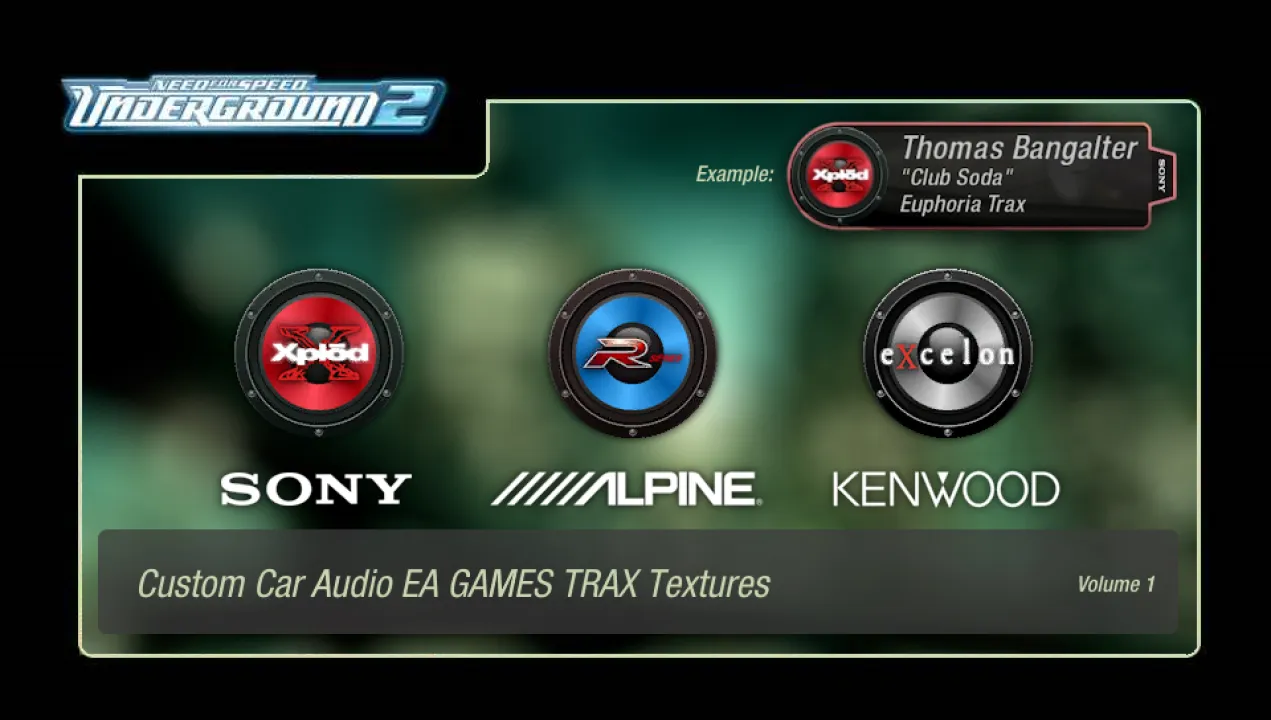
Custom Car Audio EA GAMES TRAX Textures, Volume 1
• Changelog
v1.00 - First release.
v2.00 - Big thanks to @FarrelPrayoga157 for making a Binary endscript! Now the mod is installable in a few seconds thanks to it!
• Info:
In the spirit of modifying a game based around modifying JDM sports cars,
I decided to create custom textures of the "EA GAMES TRAX" little overlay that appears
when a new song comes on. Special care was taken for it to match the period-correct setting,
including the sub-brands of each legendary company.
This is Volume 1. I'm also planning on making a Volume 2 with more brands.
• Installation:
You'll need Binary, get it from here: https://nfsmods.xyz/mod/1638
1. Run Binary as an Administrator, and choose [User mode].
2. Find and select the Install.end file from the mod.
3. Find and select your NFS Underground 2 directory.
4. Select your preferred manufacturer, and you're done!
• Programs used:
Paint.NET
NFS TexEd
Thank you for downloading this! Feel free to use it wherever,
it's not like I own any of this lol.
Copyright and trademarks belong to their respective owners and stuff.
Comments

UGHashiriya (December 13, 2025 @ 10:10)
@FarrelPrayoga157 I think this is because it's my mod page, so I have control over the comments section. I can delete anyone else's comments here, as well as my own. Oh, forgot to mention, you can also send me a DM with the Binary script here in NFSMods... at least I think, lol! Our profile's main pages have a "Compose" mode.
FarrelPrayoga157 (December 13, 2025 @ 09:23)
@UGHashiriya wait, how?
iloveloveNFS (December 12, 2025 @ 21:53)
@FarrelPrayoga157 https://nfsmods.xyz/mod/4147 tnx for your help
UGHashiriya (December 12, 2025 @ 08:11)
@FarrelPrayoga157 Just deleted the one I was telling you about file.io lol