No Depth Of Field Effects For Shift 2 Unleashed
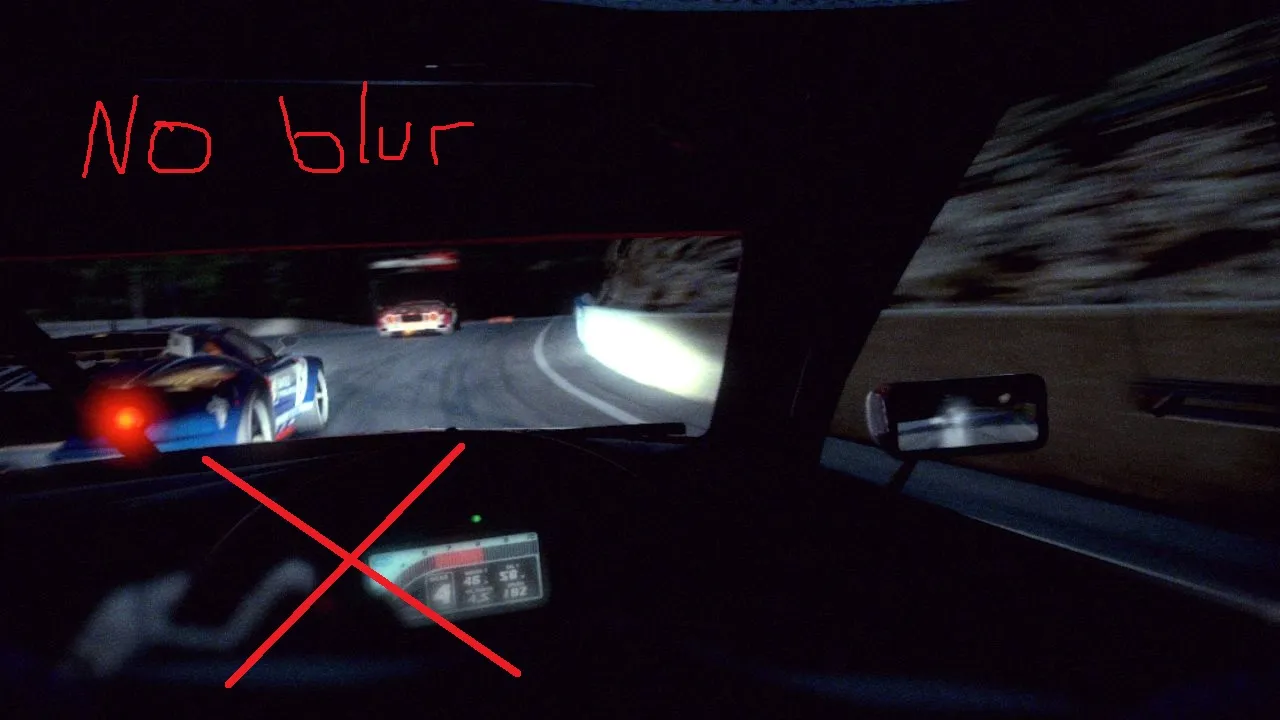
!!! You can install the mod either with Generic Mod Enabler activasion (You can disable it anytime and revert to original) or by replacing the file (backup before replacing recommended)
Generic Mod Enabler Method
1-) Mod requires the unpacked game. Use this link for download and guidance: https://github.com/ermo/s2u_ucp/wiki
2-) Extract the "No_Depth_Of_Field_Effects" folder with 7zip, Winrar (Name your compressed archive extractor)
3-) Copy or move the "No_Depth_Of_Field_Effects" folder into your "MODS" folder in the main game folder which is where your "shift2u.exe" is.
4-) Launch the Generic Mod Enabler and activate "No_Depth_Of_Field_Effects" named mod. Click yes to the warning of adversing changes. It won't do anything bad :p
X-) Done! Launch your game and have the true driver's experience.
Replacing The File Method
1-) Mod requires the unpacked game. Use this link for download and guidance: https://github.com/ermo/s2u_ucp/wiki
2-) Extract the "No_Depth_Of_Field_Effects" folder with 7zip, Winrar (Name your compressed archive extractor)
3-) Click into the "No_Depth_Of_Field_Effects" folder and copy or move the "cameras" folder into your main game folder which is where your "shift2u.exe" is.
4-) Replace the files when asked.
X-) Done! Launch your game and have the true driver's experience.
What's Changed?
*Depth Of Field Effect Min and Max values are set to 0. Resulting in no more blurring occuring on tachometer, steering wheel and interior elements etc. at high speeds and cornering. (The major impact blur values are untouched)
