Xbox 360, PS3 and Xbox One Buttons Pack for XtendedImput
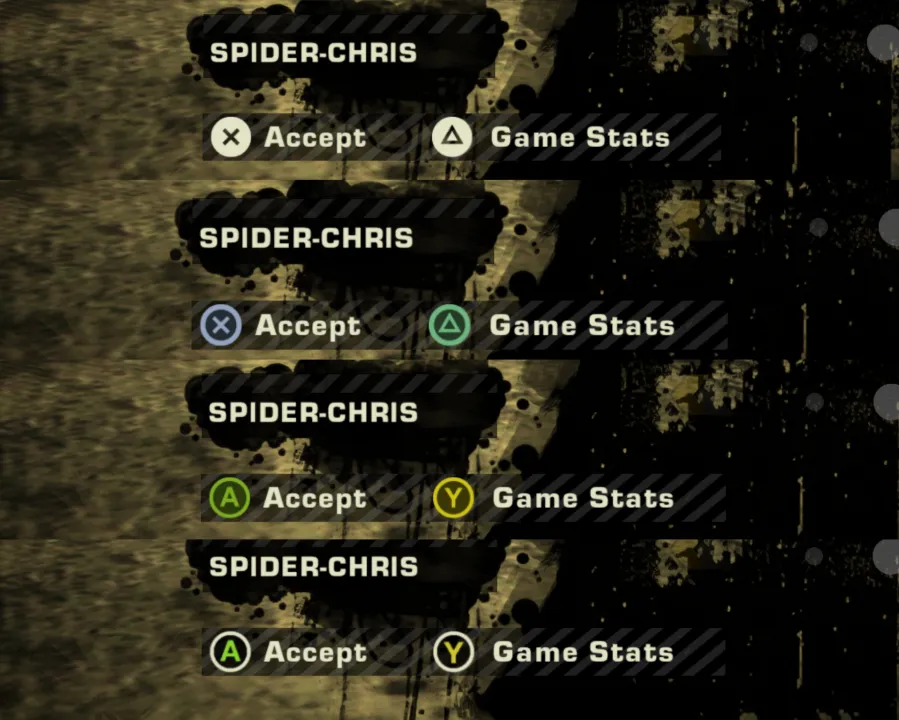
The textures were extracted from the Xbox 360 and PS3 Buttons mods by Aero_.
Important: This only works if you have the Xtended Input mod installed, as it was designed to be used with it.
Installation: Select your folder with the style that you want, copy the XtendedInputButtons.tpk file to the GLOBAL folder located in the NFSMW root directory and replace the existing file.
Then, go to the Scripts folder, open the NFS_XtendedInput.ini file and in the "Controller Icon Mode" section, set "0" to have the Xbox One buttons in the menú, "2" to have the Xbox 360 buttons or "3" to have the PS3 buttons while playing.
Save the changes made to the .ini file and you're done.
If you have any problem, please let me know in the comments section and I'll reply as soon as possible.
Have fun!
Comments

SpiderChris06 (July 11, 2026 @ 20:36)
@Cain Done ;)