ProStreet Lighting for Undercover
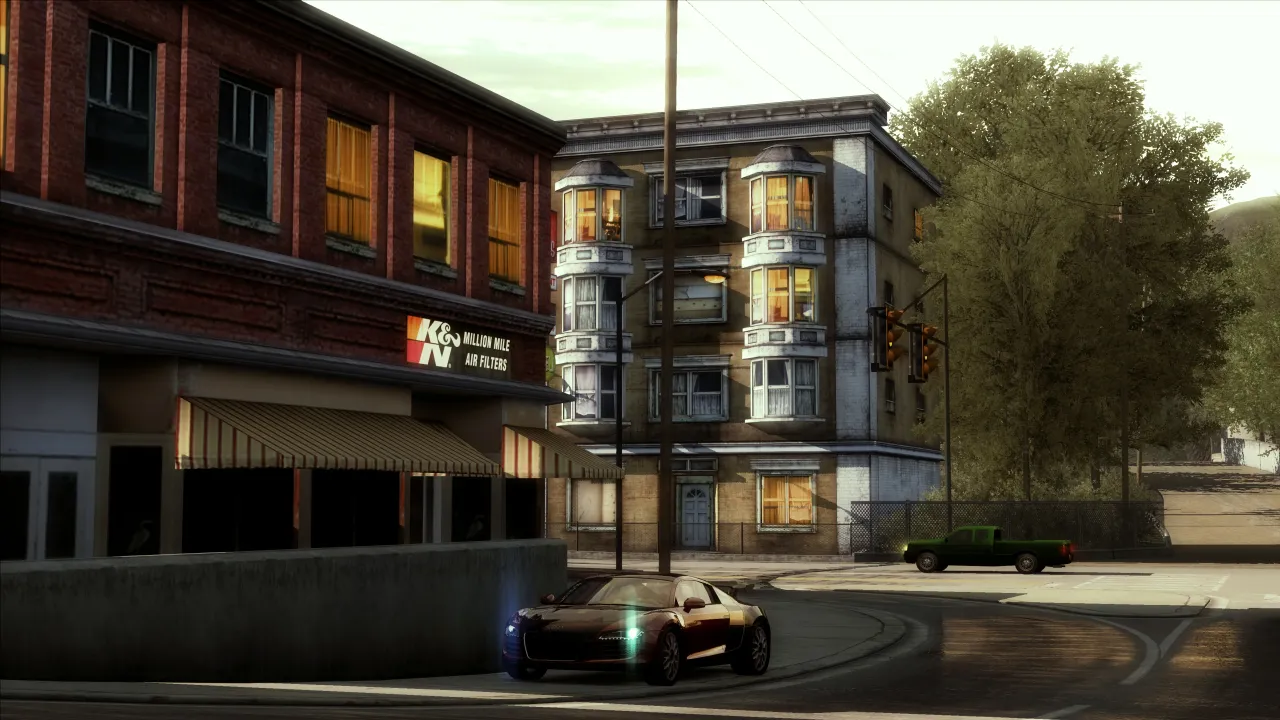
Compatible with all NFS Undercover versions (1.0.0.1 up to 1.1.2.1)
Features:
-Ports the ProStreet Ambient Colour, Sun Haze, Sun Light, Haze and Fog Colour settings from ProStreet
-Integrates an appropriate looking LUT to remove the default Undercover desaturation
-Integrates the Sky-, Blob-Shadow- and damage-normal map textures from the Undercover Beta mod to
remove weird "Yellow coloured" pixelated clouds and integrate some slightly better looking damage
and shadow textures.
-Leaves the world effects themselves untouched
-Re-adds the NOS Glow effect and water splashes on wet surfaces
Installation:
-Choose your flavor:
-> Full_Bloom leaves the original strong bloom intact and shifts the colours to a more neutral, ProStreet like-tone (A lot less yellow).
-> Less_Bloom turns down Sun Intensity and Bloom Exponent to the levels that were common in ProStreet.
-Download and use Binercover 2.9.0 (https://github.com/NI240SX/Binary/releases/tag/v2.9.0)
-Start it in user mode, select the "Part1.end" file and then your NFS Undercover install directory.
Wait until the installation is finished and then click "yes" when it asks you to save the files. Close
the tool afterwards.
-Download and use VltEd 4.6; Select your NFS Undercover install directory under "File -> Open", then click
"File -> Import -> ModScript" and select Part2.nfsms and click "Install". After that go to "File -> Save".
Close the tool afterwards.
You can now launch the game.
Settings and Effects Restoration by @cha0shacker
LUTs by @squiddude8 for Less_Bloom and by @pimpomguy for More_Bloom
Sky-, Damage- and Blob-Shadow Textures by @elaymm4 and Black Box Games


Comments

Antonio (May 16, 2026 @ 02:56)
Any chance you could bring ProStreet bloom presets (as a mod) to Undercover?
NoobSolid26 (March 28, 2026 @ 13:19)
The peak Undercover mod is now among us
Download
6e9372-ProStreetLighting_v2.0.rar (Size: 7.18MB) Latest Version
4322a8-ProStreetLighting-v1.03.rar (Size: 3.58MB) Old Version
d1c325-ProStreetLighting-v1.02.rar (Size: 3.58MB) Old Version
66cb82-ProStreetLighting-v1.01.rar (Size: 3.55MB) Old Version
5216e4-ProStreetLighting-v1.0.rar (Size: 3.67MB) Old Version