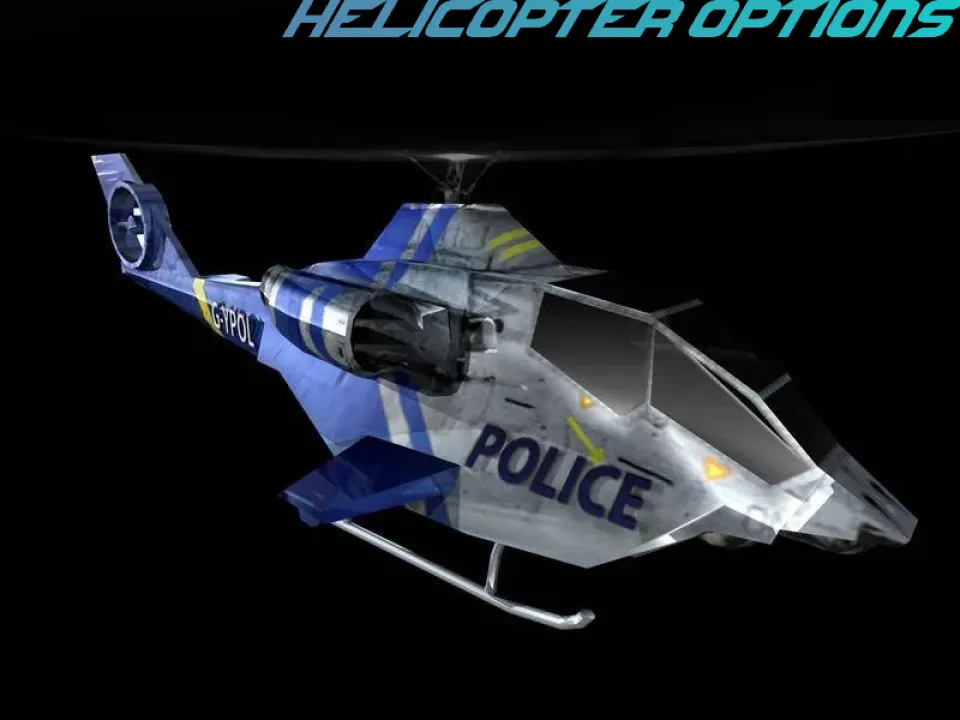
NFSMW - Helicopter Options
V2.2.1
- The radio now uses the helicopter's real line of sight. The pilot's "lost visual" and "spotted" calls previously guessed from distance. They now follow the helicopter's own sight state - the same one that sends it into search mode - so the calls line up with what the helicopter is actually doing. The distance check remains as an automatic fallback.
- The detailed status log now shows what the helicopter is doing (chase / search / attack).
- Documentation corrections around what the game does and does not expose.
Version 2.2
The helicopter now works properly above 60 FPS.
Need for Speed: Most Wanted was built to run at 60 frames per second, and its helicopter was tuned for that. If you have removed the 60 FPS cap - by capping the game at your monitor's refresh rate instead, or by uncapping it entirely with SimRate = -1 - in WidescreenFix, the helicopter's flying gets worse the faster the game runs. It stops swaying and sweeping as it follows you, and above 200 FPS it stiffens up completely and just hangs in the air pointing at you.
That is now fixed. The helicopter flies the way it does at 60 FPS at any frame rate - 75, 120, 144, 165, 240 or higher - while still moving as smoothly as your frame rate allows.
What was going wrong
- Above 200 FPS the game stops working out how the helicopter is moving. It measures the helicopter's speed by comparing where it is now with where it was last frame, but only does that when at least 5 thousandths of a second have passed - which is exactly 200 FPS. Run any faster and it never measures at all, so the helicopter's sideways and forward movement fades to nothing.
- The mod's own timing was too coarse. It used a clock that only advances about every 16 milliseconds, so above roughly 64 FPS most updates measured no time passing at all and were thrown away - which also kept movement prediction, stopped-player handling and sudden-turn recovery switched off.
- Anything that moved "a fraction of the way each frame" ran several times faster at several times the frame rate, and the game's own motion smoothing lost the lag that produces the swaying flight.
New settings
GeneralSettings.ini now has a FrameRate section:
- Enable - on by default. Leave it on unless you play capped at 60 FPS.
- HelicopterUpdateRate - the frame rate the helicopter flies as if it were running at. 60 by default, which gives the original swaying flight. Raise it to make the helicopter react more often and track you more rigidly.
- LogFrameRate - writes your frame rate and the helicopter's update timing to the log. Only needed for bug reports.
If you play with the 60 FPS cap in place, nothing changes.
V2.1 Changelog
Helicopter radio speech controller — Radio.ini
The game includes a full set of helicopter radio lines that are rarely heard during normal gameplay. This controller activates those lines during appropriate moments in a police pursuit.
Features:
- The dispatcher announces when the helicopter joins the pursuit.
- The pilot reports movement into position.
- The pilot reports when visual contact is lost.
- The pilot reports when the suspect stops or begins moving again.
- An arrest message plays when the suspect is stopped beneath the helicopter.
- Radio messages use the game’s original sound system and correct radio channel.
- Messages wait behind existing police chatter.
- A built-in cooldown prevents repeated or overlapping messages.
Optional features — disabled by default:
- Attack-run announcements
- Obstacle warnings
- Full-aggression swarm announcements
IgnoreHeliSheet restored — Navigation.ini
This option makes the helicopter ignore the game’s terrain-height guidance, allowing it to fly and descend in locations that would normally be restricted.
This setting is less cautious than the standard safety override. Read the included notes before enabling it.
HelicopterOptions — Version 2.0
Version 2.0 is a complete rebuild of HelicopterOptions. The police helicopter now flies and chases much more competently, almost everything is configurable, and the entire mod is safer and better behaved.
Compared with the original V1.0.1 release:
Added
- Chase-speed control that prevents the helicopter from crawling on straight roads, with optional minimum and maximum chase speeds.
- Movement prediction so the helicopter aims toward where you are going and eases off when you brake or turn sharply.
- Stopped-player handling that keeps the helicopter nearby when you stop instead of allowing it to drift into the distance.
- Sudden-turn recovery that re-centers the helicopter after hard U-turns and handbrake turns.
- Stability protection that gently levels the helicopter if it rolls, pitches, or spins too far, allowing it to recover instead of tumbling uncontrollably.
- Configurable attacks, including control over attack frequency, angles, timing, and spacing.
- Follow-only mode that prevents the helicopter from attacking.
- An option to prevent repeated ramming attacks.
- Optional pursuit aggression that can gradually increase during longer pursuits.
- A safety system that returns control to the game if something goes wrong, ensuring that the helicopter continues working.
- Additional options such as never losing sight of the player, unlimited fuel, adjustable flying height, turning behavior, and acceleration.
Improved
- The helicopter keeps up with the player and follows corners much more naturally than before.
- Movement is smoother and more stable, with built-in protection against the uncontrollable spinning behavior found in the original release.
- Logging is clearer, written in plain language, and protected against flooding the log file.
Fixed
- Resolved the long-standing spinning and instability problems from the original release.
- Corrected numerous internal values that did not accurately match the game’s real behavior.
- The mod now reliably recognizes the supported game version and starts cleanly.
Configuration
- Settings are now divided into fourteen topic-based INI files located in: scripts\HelicopterOptions\Configuration
- Every configuration file includes plain-English explanations, recommended ranges, and default values.
- Missing configuration files are recreated automatically.
- Existing configuration files are never overwritten.
- The default settings noticeably improve the helicopter immediately, while experimental and difficulty-increasing options remain disabled by default.
Compatibility
- Only supports the English PC Version 1.3 executable. Unsupported game versions are left completely untouched.
- Works alongside other ASI mods such as Bartender.
- When another mod has already changed the same part of the game, only the conflicting HelicopterOptions feature is skipped. All other compatible features continue working.
- All changes are applied only to the game’s memory and are fully removed when the game closes.
Removed
- The old single configuration file, which has been replaced by the fourteen topic-based configuration files.
- The preset system.
Old V1.0 Build.
NFSMW - Helicopter Options is a configurable ASI mod for Need for Speed: Most Wanted 2005 that expands how the police helicopter behaves during pursuits.
This mod is made for players and pursuit modders who want the helicopter to feel less passive, more consistent, and more useful during chases. It gives the heli its own editable INI options for movement, acceleration, braking behavior, ram/skid-hit behavior, heli-sheet handling, visibility behavior, and other experimental tuning.
Features:
- Configurable helicopter movement and acceleration behavior
- Optional braking and pursuit-following adjustments
- Optional ram / skid-hit cone tuning
- Lead and height tuning for how the heli follows the player
- HeliSheet options to reduce idle hovering caused by stale elevation data
- SeeThroughWalls option to help stop the heli from losing sight of the player in tunnels or blocked areas
- Optional exit behavior edits
- Optional speed and vision tuning
- Simple INI setup
- Works as an ASI mod
Installation:
- Make sure you have an ASI loader installed.
- Copy HelicopterOptions.asi and HelicopterOptions.ini into your NFSMW scripts folder.
- Edit HelicopterOptions.ini to change the helicopter behavior.
- Launch the game.
INI Sections:
[Patches::Core]
Main patch toggles for the mod.
[Chopper::Skid]
Controls ram / skid-hit behavior.
[Chopper::LeadHeight]
Controls how the heli follows, leads, and positions itself around the player.
[Chopper::Movement]
Controls helicopter movement, acceleration, turning, and follow behavior.
[Chopper::Exit]
Controls optional helicopter exit behavior edits.
[Chopper::HeliSheet]
Controls heli-sheet handling. These options can help stop the heli from being held back by old elevation data near bridges, ramps, and interchanges.
[Chopper::Speed]
Optional speed tuning. This section should be adjusted carefully.
[Chopper::Vision]
Controls visibility behavior. SeeThroughWalls can help prevent the heli from losing sight of the player in tunnels, behind walls, or blocked areas.
Notes:
- This mod can make the police helicopter more aggressive depending on your INI settings.
- Some options are experimental and should be changed carefully.
- Multiple helicopters are not officially supported by the base game and may phase through each other.
Comments

ZeroIceKiss (July 17, 2026 @ 14:10)
I can let helicopter be part of the patrol now?
Download
52a4e5-HelicopterOptions_V2.2.1.zip (Size: 177.46KB) Latest Version
dbebca-HelicopterOptions_V2.2.zip (Size: 185.53KB) Old Version
62929f-HelicopterOptions_V2.1-rc2_scripts.zip (Size: 169.1KB) Old Version
d59eb0-HelicopterOptions_V2.0-rc1_scripts.zip (Size: 183.64KB) Old Version
86a944-HelicopterOptions_V1.0.0.zip (Size: 34.37KB) Old Version