NFSMW HQ Window Tint
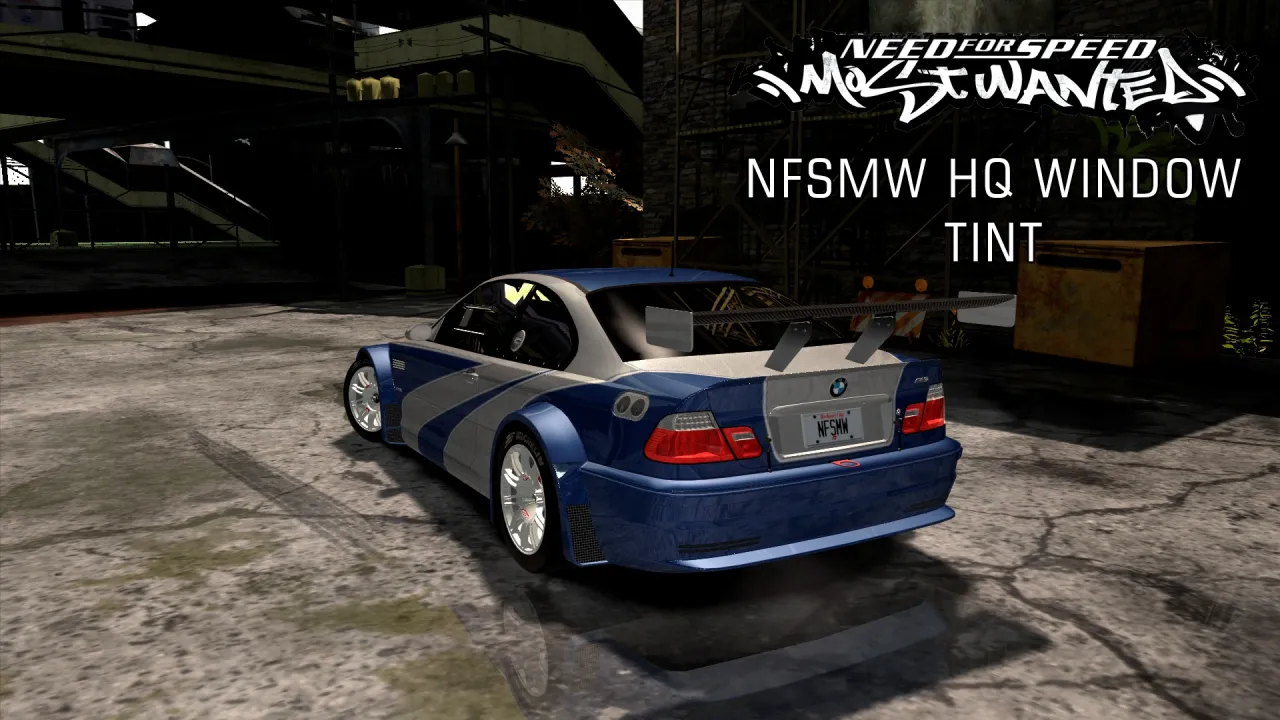
This mod gives the game new windshield tints, with vivid colors. It's inspired by NFS Carbon style pearl windshield tints.
Important: This mod requires NFSMW.Unlimiter.v3.2.0.1337 to work correctly.
Mod Installation:
1. Run Binary as Administrator.
2. Select User Mode.
3. Open the file “NFSMW HQ Window Tint.end”.
4. Browse to your game installation folder.
5. Click Install.
6. Choose the options you want.
Mod Uninstallation:
1. Run Binary as Administrator.
2. Select User Mode.
3. Open the file “NFSMW HQ Window Tint.end”.
4. Browse to your game installation folder.
5. Click Uninstall.
After installing or uninstalling the mod, you must create a new Save Game.
Note: If you would install this mod and other Window Tint mods, you must install the other mods first.
Tip: To better enjoy this mod, play with Archie's SunSet mod.
Update 1.1:
Improved windshield tints.
Update 1.2:
After uninstalling this mod, you can keep other window tint mods that you installed previously to this mod.
