NFSMW Police Reinforcement From Palmont City
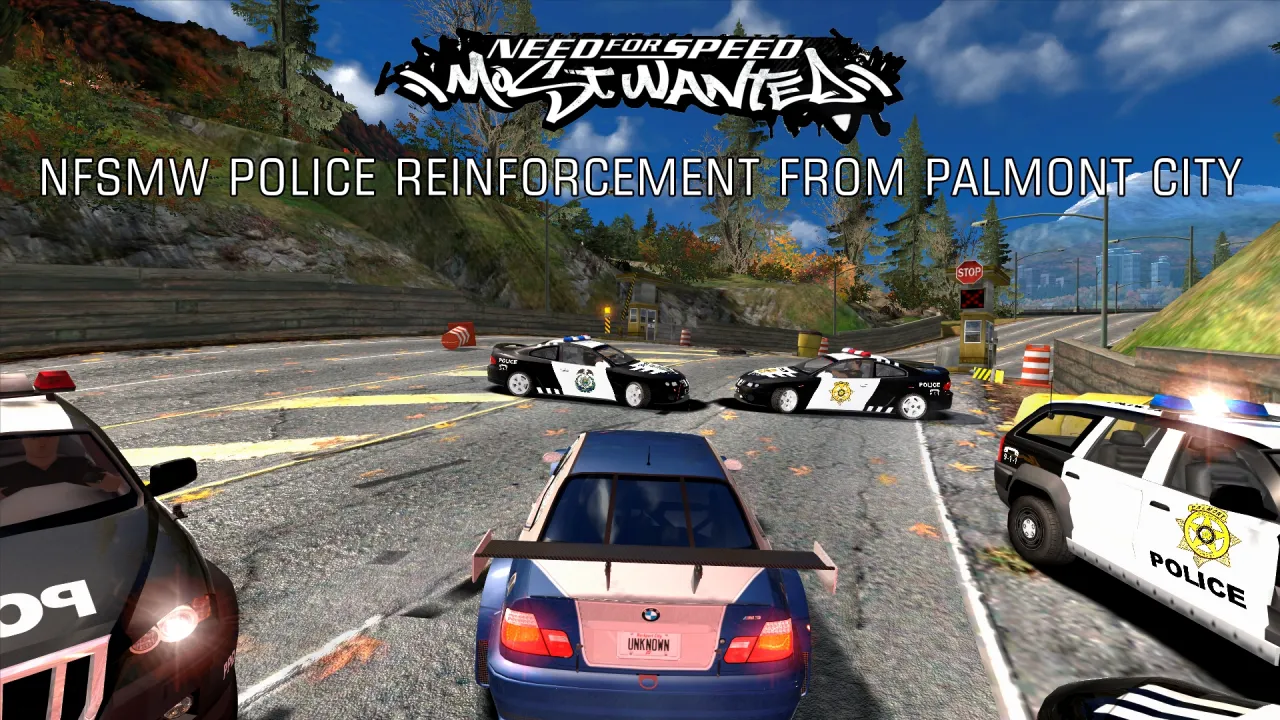
This mod adds Palmont Police cars to Need For Speed Most Wanted pursuits without replacing Rockport Police cars.
Important: This mod requires NFSMW.Unlimiter.v3.2.0.1337 to work correctly.
Mod Installation:
1. Run Binary as Administrator.
2. Select User Mode.
3. Open the file “NFSMW Police Reinforcement From Palmont City.end”.
4. Browse to your game installation folder.
5. Click Install.
6. If you have NFSMW HQ License Plates mod (version 1.1 or higher) installed, you can choose if you want to add PPD plate to Palmont Police cars or not. In case you choose "No", or if NFSMW HQ License Plates mod is not installed, this mod will install Carbon Vanilla License Plate, and it gives that plate to Palmont Police cars.
7. Save the changes.
8. Run VltEd.
9. Press CTRL+O to browse to your game installation folder and open it.
10. Press CTRL+I to import modscript, and choose “NFSMW Police Reinforcement From Palmont City.nfsms”
11. Click Install.
12. Save the changes with CTRL+S.
Mod Uninstallation:
1. Run Binary as Administrator.
2. Select User Mode.
3. Open the file “NFSMW Police Reinforcement From Palmont City.end”.
4. Browse to your game installation folder.
5. Click Uninstall.
6. Save the changes.
7. Run VltEd.
8. Press CTRL+O to browse to your game installation folder and open it.
9. Press CTRL+I to import modscript, and choose “NFSMW Police Reinforcement From Palmont City.nfsms”
10. Click Uninstall.
12. Save the changes with CTRL+S.
After installing or uninstalling the mod, you must create a new Save Game.
Minor Issue: Even if you uninstall this mod, Carbon Vanilla License Plate will stay in the game if you install it. I do this to prevent other License Plates from being deleted.
Credits to:
Aven, Avalanche & Ariso for let me use the police cars from their "NFS MW Police Rework [3.1.0]" mod to create Palmont Police Cars.
Ariso for their Palmont Police HD Textures.
Comments

