BMW M5 (E60) [Add-On]
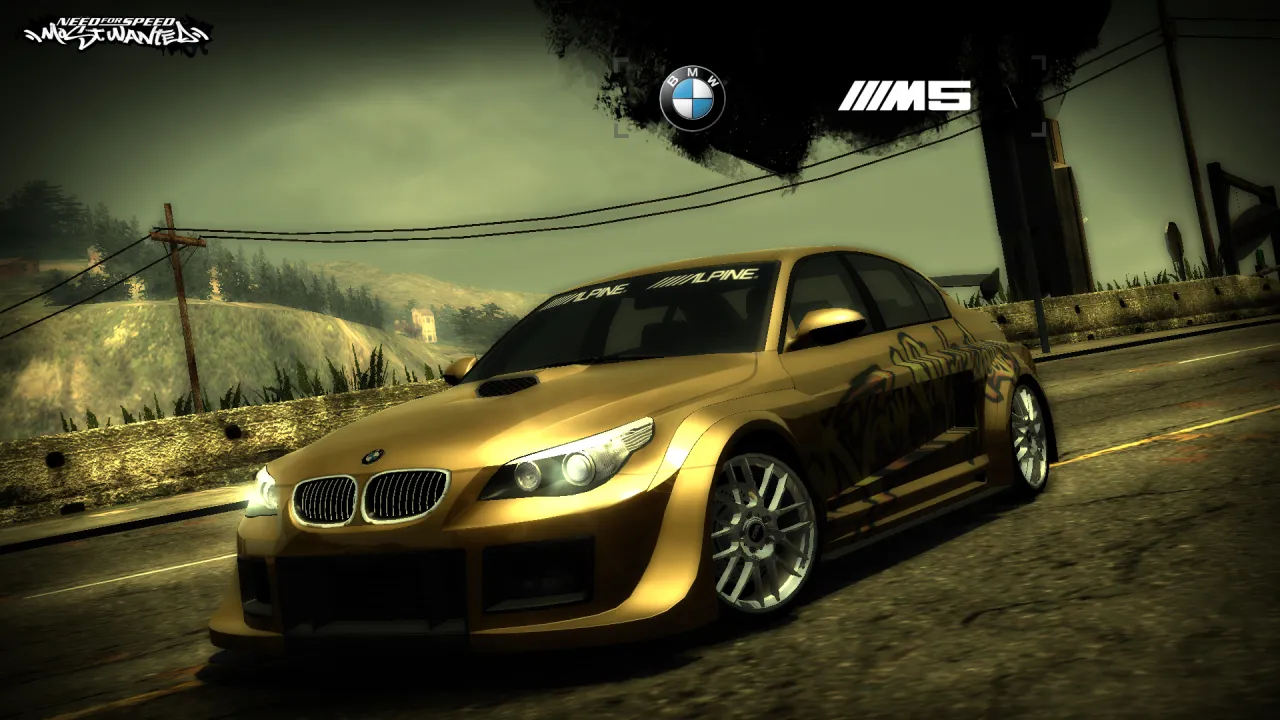

The arrives at rockport dealer's for the first time. It features original body kits created from scratch, hoods and other parts, resemble the vanilla cars as closely as possible, as if they had been added by black box

•Body Kits - 10 Parts
•Spoilers
•Hoods - 24 Parts
•Roof Scoops
•Rims

•Paint
•Vinyls
•Rim Paint
•Decals
•Window Tint
•Numbers
•Custom Gauges

•Roofs - 3 Parts
•Headlights - 11 Parts
•Tail Lights - 11 Parts
•Attachments:
•Front Grill - 6 Parts
•Trunk - 1 Parts
•Removible Rear Decal
•Removible Front Decal
•Removible Antenna
•Seats - 5 Parts
•Roll Cages - 3 Parts

•Accurate perfomance data
•All LODS
•Damage (scratches)
•Unlocks when you beat Blacklist #6 in career mode

Part 1: Binary
1. First, install NFSMW Unlimiter.
2. Extract the mod folder to any location
3. Run Binary v2.9.0 as an Administrator
4. Click on "User Mode" (the left option)
5. In the Binary file selector, go to the extracted mod folder and select "ModInstaller_(Part1).end"
6. Then go to the selection box, click on "Install BMW M5 (E60) [Add-On]," and click OK
7. Next, go to the second selection box, which asks you to install "512x" or "1024x" though the choice is entirely yours depending on whether
you want vanilla 512x vinyls or you have installed the 1024x vinyls mod.
8. Last, go to the third selection box, where they want to place the secondary logo "vanilla quality" or "high quality"
logo, though that will ultimately depend on your decision.
9. When Binary asks to save files press Yes
10. The mod should now be installed
Part 2: (FOR VLTED USERS)
1. Run NFS-VltEd as an Administrator
2. Go to the first tab at the top "File", click "Open" in, locate the folder where the game is installed, and select it
3. Then go to the "File" tab at the top and select "Import > Modscript"
4. Locate the folder where you extracted the mod, select "VLT_Install_(Part2).nfsms," and click OK.
5. Now, once installed, click "Save" under the "File" tab at the top
Part 2: (FOR OGVI USERS)
1. Run OGVI as an Administrator
2. Go to the "File" tab at the top, then select "Open" locate the folder where the game is installed, find the "speed.exe"
.exe file, and click on it
3. Now, go back to the first tab at the top, "File" and click on "Import ModScript"
4. Locate the folder where you extracted the mod, select "OGVI_Install_(Part2).nfsms," and click OK.
5. Now, once installed, click "Save" under the "File" tab at the top

• Binary 2.9.0
• NFSMWUnlimiter
• NFS VltEd 4.6 or OGVI

• 1.0.0 - August 30, 2026
Initial Release

•None known as of the time this mod is uploaded
If you have any questions, suggestions or problems you can send me messages on my Discord (nfs2019)
Do not add my mod in any Modpack without my permission

ARCHIE - OGVI
humsterbird - Body Kit 6 designs
MaxHwoy - Binary v2.9.0
nlgxzef - NFSMW Unlimiter
nfsu360 - NFS Cartoolkit & NFS VLT-Ed


Comments

alexdivi96 (September 01, 2026 @ 20:06)
@YEG38NFSMW2005 No thanks, It is better only one Pontiac GTO 1965 Just convert NFS World vinyls Nate Denver's nfs pro street
YEG38NFSMW2005 (September 01, 2026 @ 19:31)
@alexdivi96 '65 GTO is included in Classic Cars Pack.
